Most businesses that sell a product or a service end up answering the same technical questions all day: how do I set this up, why can’t I log in, how do I use this feature. That is exactly the work an outsourced support team can take over. Here is how to tell what to outsource and what to keep, how AI belongs in the picture in 2026, and what to ask before you sign with anyone.
Published by Synthesis BPO · Reviewed by Lary Wilcox, Strategic Advisor, VisionSync Solutions · October 309, 2026 · 10-minute read
Key facts
- A tech support partner answers technical questions from your customers or employees by phone, chat, email, and ticket. It is different from a managed IT provider, which monitors and maintains your infrastructure.
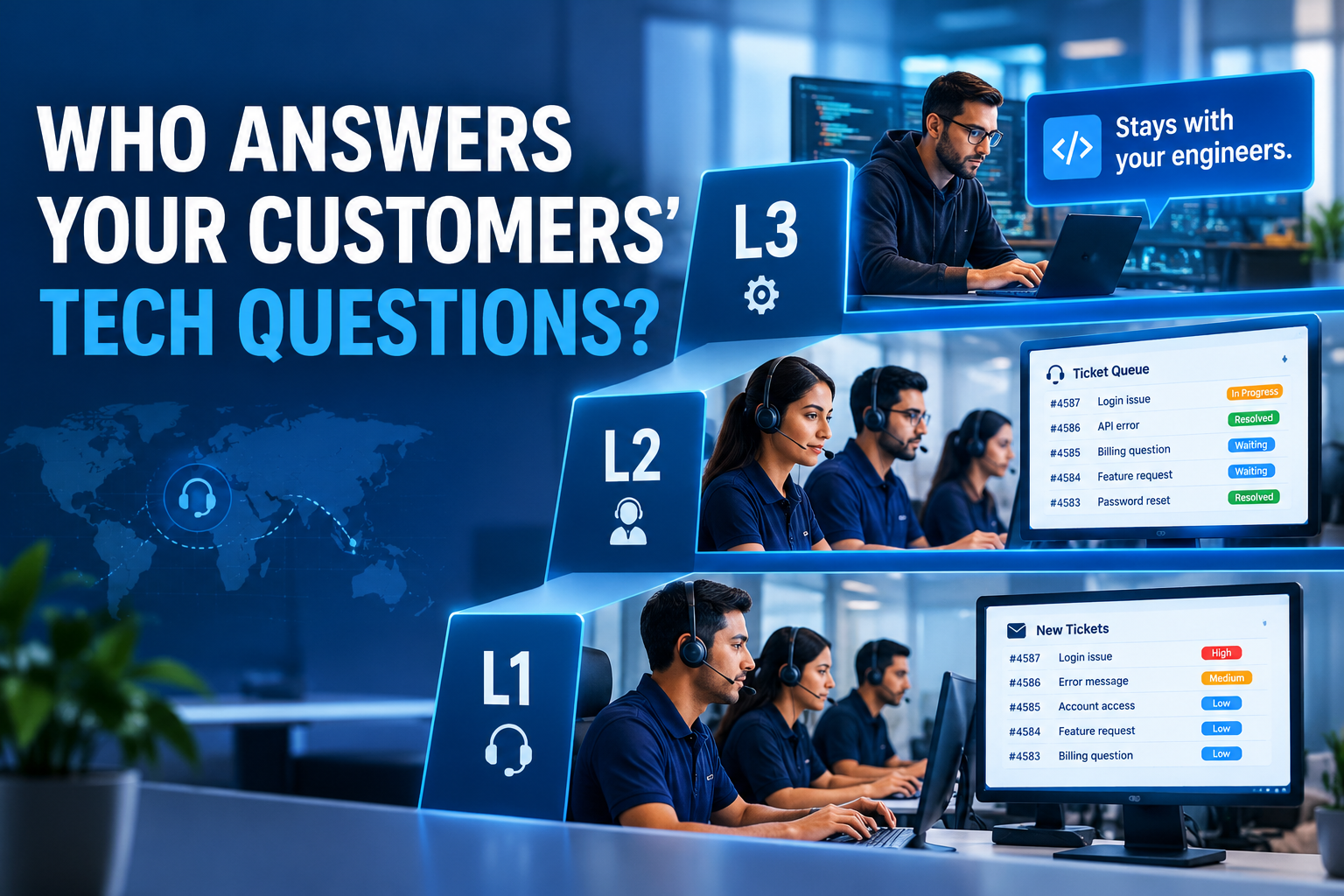
- Support runs in levels. L1 handles common, well-defined issues such as password resets, installations, and downloads. L2 handles more involved issues, including access and account problems on platforms like Microsoft 365, Google Workspace, AWS, and Azure. L3 is the most complex work.
- We deliver L1 and L2. We do not currently run L3 for any client. In our experience, businesses usually keep L3 in-house, because it is complex, rare, and sometimes needs an on-site visit.
- AI takes the first question, and a person takes over when it cannot. Gartner’s 2026 research found that 87% of customers say it is essential to have an option to reach a human when a company uses generative AI.
- Pricing: $10 to $15 per person per hour for L1 and L2 across phone, chat, and email. Straightforward requirements sit near $10, and more complex ones sit higher. Rates are agreed in writing before the program starts.
- Our examples: a Dallas home improvement retailer (phone, chat, and email at L1/L2, now over a year) and a Kansas City equipment provider (installation support, with associates developed from L1 into L2).
- We do not guarantee a resolution rate or customer score. Results depend on your product, your documentation, and how well the process is defined.
What is a tech support partner?
A tech support partner is a team outside your company that handles technical questions from your customers or staff, following your procedures, using your ticketing system, and escalating what it cannot solve. The work is mostly practical: how to set something up, how to get in, how to use a feature.
This is easy to confuse with managed IT services, which cover a different job: monitoring servers, maintaining networks, managing backups, and running security tools. A managed IT provider keeps your systems running. A tech support partner talks to the people using your products and systems and gets them unstuck. Many businesses need one or the other, and some need both. Be clear about which you are shopping for before you compare vendors.
What do L1, L2, and L3 support mean?
Support is organized in levels (also called tiers) so each issue is handled by someone with the right skill, and the hardest work is not tied up with the simplest. These are common definitions, and companies set their own boundaries:
| Level | Typical work | Who does it | Do we deliver it? |
| L1 | Password resets, software installation and downloads, basic setup, “how do I” walkthroughs, logging and routing tickets | Sound technical associates who have worked in L1 support for some time, or have been trained thoroughly for it | Yes |
| L2 | More involved issues: access and permission problems, account issues on platforms such as Microsoft 365, Google Workspace, AWS, and Azure, server or cloud tickets within the scope you define, configuration walkthroughs | The same associates developed to a deeper level, or experienced technical staff | Yes, often as a blend of L1 and L2 |
| L3 | The most complex problems, where a technically skilled person on the other side needs expert help; deep cloud or system work; sometimes an on-site visit | Specialist engineers, often the product’s own team | Not at present |
L1 and L2 are not tech specialists solving exotic problems. They are people who know your product well, follow a documented process, and know when to escalate.
Why do most businesses outsource L1 and L2 but keep L3?
Because of volume and complexity. People buy a product or service and then do not know how to set up their password, get access, or use the platform. Those questions arrive every day, they follow patterns, and they take the most time. That is L1 and L2 work, and it is well suited to a trained team following your instructions.
L3 is different. It is complex, it does not come up daily, and it sometimes needs a visit to the customer. Most businesses prefer to keep that in-house so their own engineers stay close to the hardest problems. In our experience, L3 and above is rarely outsourced, so we focus on L1 and L2. A good partner will tell you plainly where its scope ends. If a provider claims to do everything at every level for any product, ask to see who does it.
How is AI changing tech support in 2026?
AI now answers a growing share of the first questions, and the businesses that do this well keep a person within reach. Chat and email contain many repeated questions, and AI can answer a large share of them once it has been given your answers.
Customers are not asking for one or the other. Gartner research reported in August 2026 found that 87% of customers say it is essential for companies to offer an option to reach a human agent when they use generative AI, and it advises service leaders not to make AI a mandatory first step for every issue. It also found that customers were about three times more likely to use third-party tools such as ChatGPT than a company’s own chatbot in their latest service interaction.
Here is how we approach it:
- Learn the operation first. For the first three to four months of an engagement, we observe and record the questions that come in each day, by phone, chat, and email.
- Find what repeats. If the same questions and requests recur, they are candidates for automation.
- Put AI at the front door, where the client approves it. For those recurring questions, an AI interface can be the first point of contact, fed with your information and the steps to resolve each issue.
- Hand over to a person. When a question cannot be answered or controlled by the AI, an L1 or L2 associate takes over and addresses it. The AI does not decide on its own what happens next.
This is a way of working, not a guarantee of how much an AI will resolve. It depends on your product, your documentation, and what you approve. The reason to do it this way is that AI handles the repetitive volume without needing a person on every question, and people handle everything that needs judgment.
Which channels and tools should a partner support?
Phone, chat, and email, tracked through a ticketing system, so nothing is lost between channels.
- Phone suits customers who want to talk it through, and long walkthroughs. Calls can be long: on our Kansas City account they typically run one to one and a half hours.
- Chat and email suit customers who prefer to type or want a written record of the steps.
- Ticketing logs every issue, whether our team is the first contact or a ticket is escalated to us. We work in the platforms our clients use, including Zendesk, Freshdesk, ServiceNow, Jira, and Salesforce.
Ask any provider which of your tools it already works in, and who trains the team on them.
Case study: omnichannel L1 and L2 support for a Dallas retailer
A Dallas-based eCommerce retailer selling home improvement, decoration, and home security products across the U.S. relies on us for technical support. Its customers ask the kind of questions you would expect from products people install themselves: setup, installation, and how to use what they bought. That puts the account at L1 and L2.
It is an omnichannel arrangement. Customers who want to talk it through call. Customers who would rather type use chat or email. The same technically trained team handles all three. One dedicated team member covers the account during Dallas business hours. Outside those hours, a voice menu captures the caller’s information, and the team member follows up the next business day. The relationship has run for more than a year, at $15 an hour.
We are not publishing a resolution rate or customer score for this account, because we have not been given permission to share one. The example shows the shape of the service: a small dedicated team, the right level of skill for the product, and coverage that matches when the client’s customers actually need help.
We have kept this client anonymous.
Case study: installation support that grew from L1 to L2 in Kansas City
A Kansas City company installs CCTV cameras, servers, laptops, and other technical equipment for businesses, consultants, and brokers across the city. It relies on us for installation and configuration support. When a customer calls with a question, our team walks them through the setup using the instructions the client gave us.
Two dedicated team members cover Kansas City business hours. Each has at least three years of experience, and they started at L1 and are now being developed into L2, with a supervisor on the account for anything more complex. Calls here run long, typically one to one and a half hours, because walking someone through an installation takes time. When an issue cannot be solved by phone and needs someone on site, we pass the details back to the client, who arranges the visit. The relationship has run for just over a year, at $12 an hour.
What this shows is how a team can grow with an account: start at L1, learn the equipment and the customers, and take on L2 work over time, while the client keeps the on-site work.
We have kept this client anonymous.
How do you choose a tech support partner?
Look at eight things, and ask for evidence on each.
- Scope and levels. Which levels does the partner actually deliver today, and which does it send back to you? Beware of a provider that claims every level for every product.
- Who the people are. What experience do they have, and how are they trained on your product? Can you interview candidates before they start?
- Escalation. Who decides when to escalate, to whom, and with what information? A clear path to your engineers matters more than a promise to solve everything.
- Channels and tools. Does the partner support phone, chat, and email, and work in your ticketing platform?
- Coverage. What hours are staffed, and what happens outside them? One person covers about a nine-hour shift, so longer coverage needs a roster.
- AI. Where is it used, with which data, with whose approval, and how does a customer reach a person?
- Supervision and reporting. Who oversees the team, how often do you hear from them, and how is quality checked?
- Price and terms. Is it per person per hour, what is included, and what happens if someone is not working out?
Red flags: a guaranteed resolution rate, no named supervisor, vague escalation rules, claims of certifications the company cannot show, or a refusal to let you meet the people who will handle your customers.
Why Synthesis BPO for L1 and L2 tech support
Choose us if what you need is a trained, supervised team to take the daily L1 and L2 questions from your customers by phone, chat, or email, with a clear path back to your engineers for anything harder. We are not the right partner if you want someone to design or run your cloud infrastructure, or to take your L3 engineering work. We would rather say that than sell you something we do not do.
What you get:
- L1 and L2 teams matched to your product. Our associates are sound technical people who have worked in L1 support for some time or have been trained thoroughly, and we develop them into L2 where the account needs it. We generally look for at least one to two years of relevant experience, and our current tech support teams run higher: three or more years in Kansas City.
- Phone, chat, and email in one team, working in the platforms you already use.
- AI and people together. AI at the front door where you approve it, with L1 and L2 associates ready to take over.
- Supervision you can see. A supervisor on the account, regular reporting, and calibration calls with you.
- A fast fix if it is not working. If you decide someone is not the right fit, we look at whether there is room to improve. If we agree there is not, we replace them, typically within one to two weeks and sometimes within days.
- Our own offices, no work from home. All of our staff work from our dedicated offices in India and the Philippines. Nobody works from home. Synthesis BPO is a sister concern of U.S.-registered VisionSync Solutions LLC.
- Practices, not badges. We follow the practices associated with recognized privacy and security frameworks, and we do not claim certifications we do not hold. Our delivery centers use biometric access control and a paperless working environment, and personal devices are not permitted where calls are handled.
What does outsourced tech support cost?
L1 and L2 support at Synthesis BPO runs $10 to $15 per person per hour across phone, chat, and email. Where you land in that band depends on how complex your requirement is. If your questions are straightforward and need little troubleshooting, expect to be near $10. If there is real complexity, such as deeper product knowledge or account and platform issues, expect the higher end. The exact rate is set by your requirements and agreed in writing before the program starts, with no line items added later.
For reference, our Kansas City installation support is billed at $12 an hour, and the Dallas retailer’s phone support at $15. See our Services & Pricing guide for other service lines.
To talk through your requirement, call +1 (800) 427-4470 or email info@synthesisbpo.com.
Frequently asked questions
What is a tech support partner? A team outside your company that handles technical questions from your customers or employees by phone, chat, email, and ticket, following your procedures and escalating what it cannot solve. It is different from a managed IT provider, which monitors and maintains infrastructure.
What is the difference between L1, L2, and L3 support? L1 handles common, well-defined issues such as password resets, installations, and downloads. L2 handles more involved issues, such as access and account problems on platforms like Microsoft 365, Google Workspace, AWS, and Azure. L3 is the most complex work, usually done by specialist engineers. Companies set their own boundaries.
Do you provide L3 support? Not at present. We deliver L1 and L2. In our experience, most businesses keep L3 in-house because it is complex, infrequent, and sometimes needs an on-site visit. We escalate anything beyond our scope back to your team.
What can an L1 or L2 team handle? Password resets, software installation and downloads, setup and configuration walkthroughs, access and account issues, and “how do I use this” questions. L2 also covers more involved tickets, including some involving Microsoft 365, Google Workspace, AWS, and Azure, within the scope you define.
Which ticketing platforms do you work in? Zendesk, Freshdesk, ServiceNow, Jira, and Salesforce, among others. We work in the platform you already use.
Do you use AI in tech support? Where the client approves it. We first observe the operation for three to four months to identify recurring questions, then can place an AI interface at the front door for those questions. When it cannot answer, a human L1 or L2 associate takes over. We do not claim that AI will resolve a particular share of your tickets.
How much does outsourced tech support cost? $10 to $15 per person per hour for L1 and L2 across phone, chat, and email. Simple requirements sit near $10, and more complex ones sit higher. The exact rate is agreed in writing before the program starts.
Can you cover nights and weekends? It depends on the account. One person covers about a nine-hour shift, so extended hours need a roster. Our Dallas client’s team covers business hours, with a voice menu capturing callers’ details after hours for next-business-day follow-up.
What if a team member is not working out? Tell us. We first look at whether there is room to improve. If we agree the person is not the right fit, we replace them, typically within one to two weeks and sometimes within days.
Where is your team located? In our own offices in India and the Philippines, under supervision. Nobody works from home.
How is customer information protected? We follow the practices associated with recognized privacy and security frameworks and do not claim certifications we do not hold. Our delivery centers use biometric access control and a paperless environment, and personal devices are not permitted where calls are handled. Ask any provider, including us, what it can and cannot promise.
Do you guarantee a resolution rate? No. Results depend on your product, your documentation, and the process you define with us. Any service levels must be agreed in the engagement documents.