Choosing a Tech Support Partner in 2026: What to Outsource, What to Keep, and How AI Fits
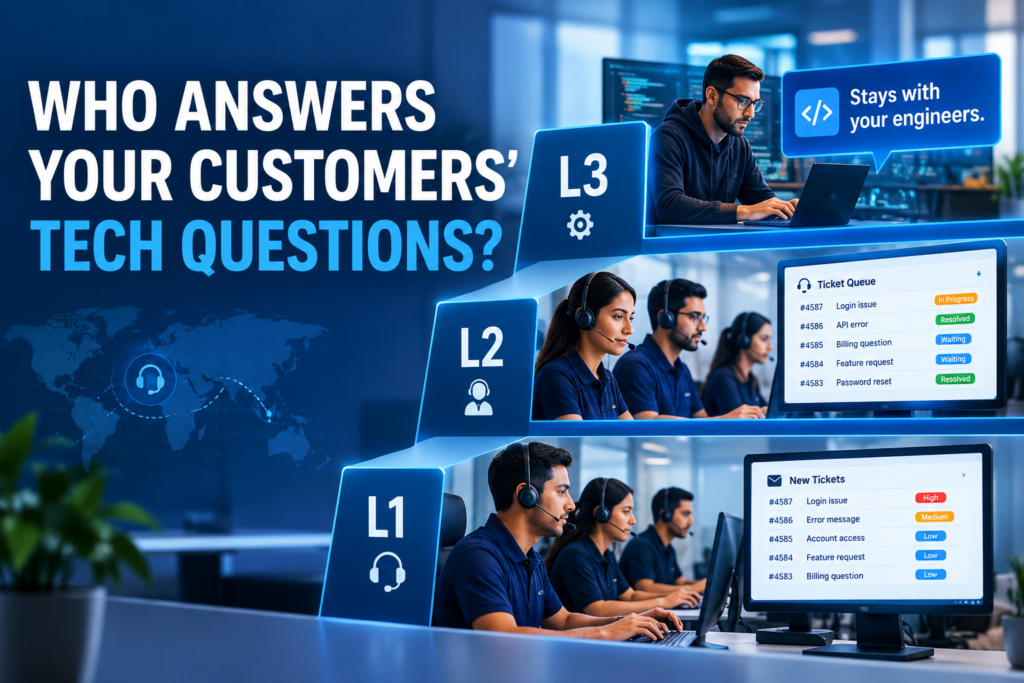
Most businesses that sell a product or a service end up answering the same technical questions all day: how do I set this up, why can’t I log in, how do I use this feature. That is exactly the work an outsourced support team can take over. Here is how to tell what to outsource and what to keep, how AI belongs in the picture in 2026, and what to ask before you sign with anyone. Published by Synthesis BPO · Reviewed by Lary Wilcox, Strategic Advisor, VisionSync Solutions · October 309, 2026 · 10-minute read Key facts What is a tech support partner? A tech support partner is a team outside your company that handles technical questions from your customers or staff, following your procedures, using your ticketing system, and escalating what it cannot solve. The work is mostly practical: how to set something up, how to get in, how to use a feature. This is easy to confuse with managed IT services, which cover a different job: monitoring servers, maintaining networks, managing backups, and running security tools. A managed IT provider keeps your systems running. A tech support partner talks to the people using your products and systems and gets them unstuck. Many businesses need one or the other, and some need both. Be clear about which you are shopping for before you compare vendors. What do L1, L2, and L3 support mean? Support is organized in levels (also called tiers) so each issue is handled by someone with the right skill, and the hardest work is not tied up with the simplest. These are common definitions, and companies set their own boundaries: Level Typical work Who does it Do we deliver it? L1 Password resets, software installation and downloads, basic setup, “how do I” walkthroughs, logging and routing tickets Sound technical associates who have worked in L1 support for some time, or have been trained thoroughly for it Yes L2 More involved issues: access and permission problems, account issues on platforms such as Microsoft 365, Google Workspace, AWS, and Azure, server or cloud tickets within the scope you define, configuration walkthroughs The same associates developed to a deeper level, or experienced technical staff Yes, often as a blend of L1 and L2 L3 The most complex problems, where a technically skilled person on the other side needs expert help; deep cloud or system work; sometimes an on-site visit Specialist engineers, often the product’s own team Not at present L1 and L2 are not tech specialists solving exotic problems. They are people who know your product well, follow a documented process, and know when to escalate. Why do most businesses outsource L1 and L2 but keep L3? Because of volume and complexity. People buy a product or service and then do not know how to set up their password, get access, or use the platform. Those questions arrive every day, they follow patterns, and they take the most time. That is L1 and L2 work, and it is well suited to a trained team following your instructions. L3 is different. It is complex, it does not come up daily, and it sometimes needs a visit to the customer. Most businesses prefer to keep that in-house so their own engineers stay close to the hardest problems. In our experience, L3 and above is rarely outsourced, so we focus on L1 and L2. A good partner will tell you plainly where its scope ends. If a provider claims to do everything at every level for any product, ask to see who does it. How is AI changing tech support in 2026? AI now answers a growing share of the first questions, and the businesses that do this well keep a person within reach. Chat and email contain many repeated questions, and AI can answer a large share of them once it has been given your answers. Customers are not asking for one or the other. Gartner research reported in August 2026 found that 87% of customers say it is essential for companies to offer an option to reach a human agent when they use generative AI, and it advises service leaders not to make AI a mandatory first step for every issue. It also found that customers were about three times more likely to use third-party tools such as ChatGPT than a company’s own chatbot in their latest service interaction. Here is how we approach it: This is a way of working, not a guarantee of how much an AI will resolve. It depends on your product, your documentation, and what you approve. The reason to do it this way is that AI handles the repetitive volume without needing a person on every question, and people handle everything that needs judgment. Which channels and tools should a partner support? Phone, chat, and email, tracked through a ticketing system, so nothing is lost between channels. Ask any provider which of your tools it already works in, and who trains the team on them. Case study: omnichannel L1 and L2 support for a Dallas retailer A Dallas-based eCommerce retailer selling home improvement, decoration, and home security products across the U.S. relies on us for technical support. Its customers ask the kind of questions you would expect from products people install themselves: setup, installation, and how to use what they bought. That puts the account at L1 and L2. It is an omnichannel arrangement. Customers who want to talk it through call. Customers who would rather type use chat or email. The same technically trained team handles all three. One dedicated team member covers the account during Dallas business hours. Outside those hours, a voice menu captures the caller’s information, and the team member follows up the next business day. The relationship has run for more than a year, at $15 an hour. We are not publishing a resolution rate or customer score for this account, because we have not been given permission to share one. The example shows the shape of
Email Is Filtered, Ads Are Expensive: How Outsourced Lead Generation Scales a Business in 2026
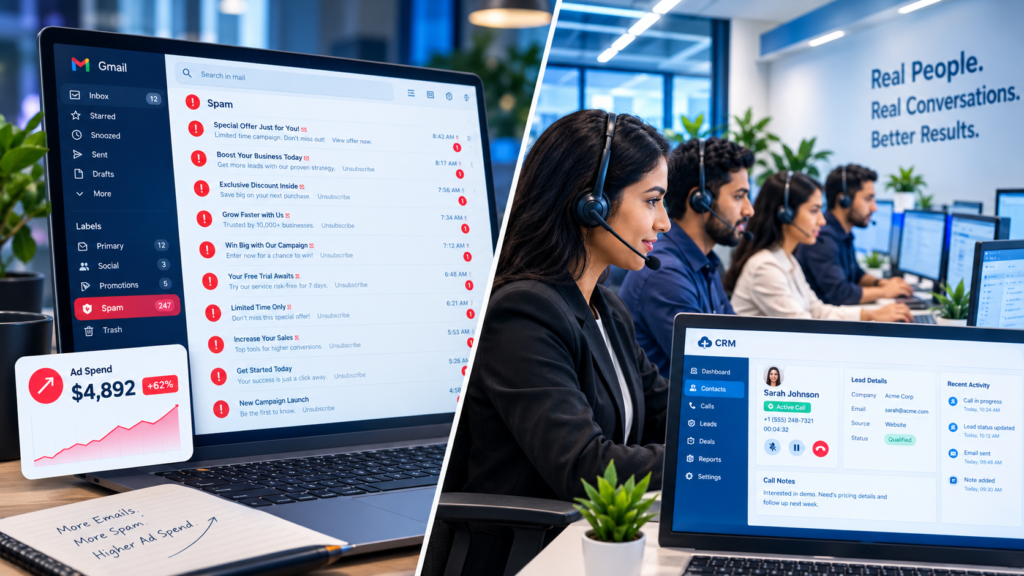
Getting qualified prospects in front of your sales team has become harder and more expensive on almost every channel except one. Here is what changed in 2026, why a live conversation still works, and how a mortgage company used an outsourced calling team to build a pipeline that kept its sales team busy for the next six months. Published by Synthesis BPO · Reviewed by Vinesh Nair, Co-Founder, VisionSync Solutions · October 26, 2026 · 9-minute read Key facts What has changed about lead generation in 2026? Three of the channels most businesses rely on have become harder or more expensive to use, while the oldest one has held up. Here is how they compare: Email campaigns Paid ads (Google, Meta) Phone-based lead generation What gets in the way Spam filters, company email security, and stricter sender rules Rising auction prices, and ad budgets that never stop Call screening, and the need for a good list and trained callers What you get An open or a click, if the message arrives at all A form fill from someone nobody has spoken to A live conversation and an answer on the spot Cost shape Low per message, but delivery is uncertain A monthly budget, often thousands of dollars Per person per hour, with a team you can scale up and down Qualification After the lead replies, if it does After the lead arrives, by your own team During the call, by the caller This is a summary of common patterns, not a verdict on every business. Plenty of companies still make email and ads work. The point is how much they cost, how reliably they deliver, and how many conversations they actually start. Why do marketing emails reach fewer people? Because inbox providers and company security filters now stand between your message and the person you wrote it for. Email has more filtering and more rules than it did a few years ago, and unsolicited marketing is the kind of mail those filters are built to catch. Gmail is a good example. Its bulk-sender requirements ask senders of 5,000 or more messages a day to authenticate their mail (SPF, DKIM, and DMARC), include one-click unsubscribe, and keep user-reported spam complaints below 0.1%, never reaching 0.3%. According to Red Sift’s November 2025 summary, Gmail began ramping up enforcement in November 2025, and non-compliant mail can be rate-limited, rejected, or sent to spam. Those rules are aimed at bulk senders, and a small business running a prospecting campaign may not qualify as one. But they show the direction: unsolicited commercial email has to clear authentication, filters, spam folders, and company security gateways before a person ever sees it. In our experience, that means a prospecting campaign can be sent and still not be read. Why are paid ads so expensive to run for leads? Because you are bidding against every other business that wants the same prospect, and the price of that competition keeps rising. Two benchmarks show the scale: Here is a rough illustration, not a promise of results. One dedicated caller working a full month, at about 170 hours and $10 an hour, comes to roughly $1,700. Spent on Google search ads at the average cost per lead, the same $1,700 buys about 25 form fills. Spent on Meta at its average, about 60. Those are people who clicked, not people who were called, qualified, and told what you can do for them. A caller’s month produces conversations, and what comes of them depends on your offer, your list, and your sales team. For many businesses, the harder problem is budget. Not every company can spend thousands of dollars every month on advertising and still have to qualify what comes back. Why does phone-based lead generation still work? Because a live call does something email and ads cannot: it reaches a person, gets a direct answer, and starts a conversation that can be steered. You call during business hours, give a brief explanation of what you can do for them, and listen. People are usually open to hearing how a business can help them grow, because growth is on most owners’ minds. Phone has its own friction. Some people screen calls, and calling rules apply, including the National Do Not Call Registry. That is why list quality, calling windows, and trained callers matter more on the phone than they might elsewhere. Done properly, though, it remains the most direct way to qualify a prospect, and it does not depend on a filter, an auction, or an algorithm. It also fits the way many businesses want to buy: not a bigger ad budget, but a team that does the heavy lifting of calling and qualifying, so their own people can focus on closing. How does outsourced lead generation help a business scale? By letting you add calling capacity in steps instead of hiring a department up front. In practice, scaling with us looks like this: Case study: how Gen Next Mortgage built a six-month pipeline in five months Gen Next Mortgage, a mortgage refinancing company, came to us for its first outsourcing engagement. Its goal was a pipeline of qualified refinancing prospects for its sales team. The list was not cold. Everyone on it had already engaged with Gen Next Mortgage in some way: through flyers, filled-in forms, or the summits and seminars the company runs. They knew who was calling and roughly why, which made the conversations different from cold calling. We started with one caller, scaled to two as the campaign ramped, and brought it back to one as the pipeline filled. The engagement ran about five months. In that time the team built a qualified pool of prospects large enough to keep Gen Next Mortgage’s sales team working for the next six months. At that point the client paused the engagement to work through the pipeline, and plans to resume when it has a new batch of leads to call. The program was custom-quoted at $10 an hour.
The Virtual Assistant Has Changed: How Business VA Support Works in 2026
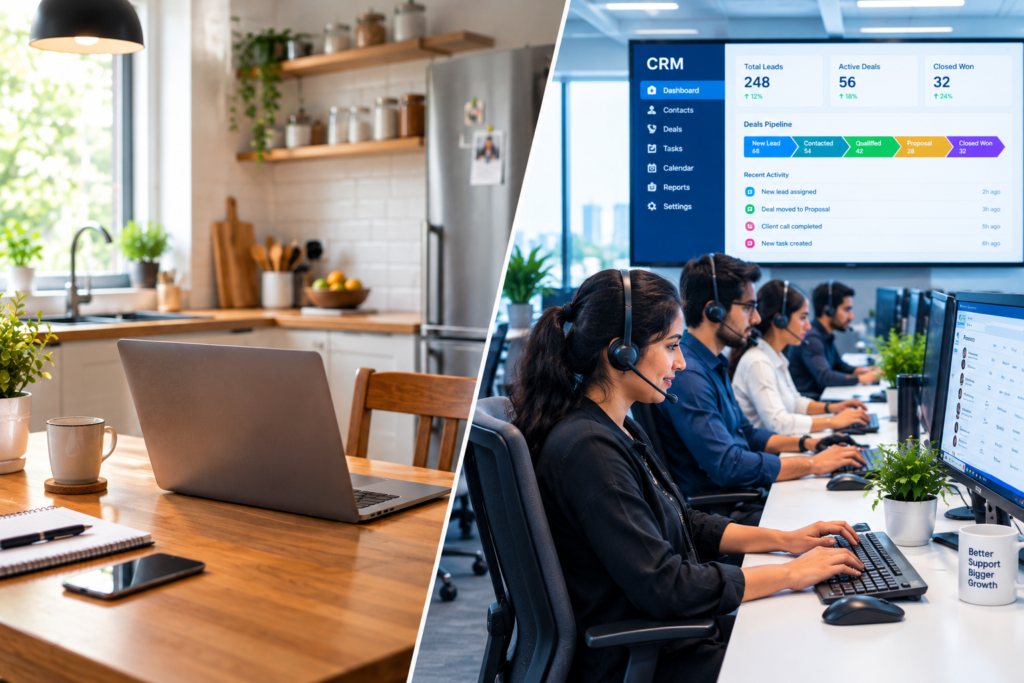
A virtual assistant used to mean one freelancer working through a to-do list from a home office. Today, the best business VA support looks a lot more like adding a trained, supervised member to your team, one who answers your calls, keeps your CRM current, follows up with customers, and works with AI tools instead of against them. Here is what changed and how we run it. Published by Synthesis BPO · Reviewed by Sumeet W, Co-Founder, VisionSync Solutions · October 24, 2026 · 9-minute read Key facts What is a business virtual assistant in 2026? A business virtual assistant is a dedicated remote team member who handles ongoing business tasks on your behalf: answering calls and emails, keeping CRM records current, scheduling, following up with prospects or patients, and researching. The role sits closer to your front office than to a one-off task list. It overlaps with a personal VA. The difference is mostly context: a business VA typically supports a company, department, or senior leader, with more seniority, scope, and process around the work. How has virtual assistant support changed? It has moved from task-by-task help to accountable, supervised team membership. Here is the difference between the typical freelance or marketplace model and the dedicated model we run: Typical freelance or marketplace VA Dedicated, supervised VA Where they work Usually from home, often alone A company office, with a team around them Training Mostly self-directed You train the first batch; our trainers sit in and document the process Supervision The client manages every detail A supervisor, team leaders, and managers oversee the work If it isn’t working Start the search over We replace the person, typically within one to two weeks Records Depends on the individual Calls, notes, and follow-ups are logged in your CRM AI Individual choice, often undisclosed Used where it helps, and with your approval Coverage One person, whenever available Planned shifts, with a roster for extended hours This describes common patterns, not every freelancer. Many are excellent. The point is what changes when a VA is part of a managed operation. Shift 1: From freelancer to team member A VA who only receives tasks has to be told everything. A VA who is trained on your business can run a function. That is why we ask clients to train the first batch themselves, usually a day or two, and to stay available for questions during the first week or two. Our trainers sit in, document your process, and build it into the account, so that retraining a replacement, or adding a second VA, does not mean reteaching everything. A supervisor oversees the work, reports on it, and calibrates with you regularly: typically weekly at the start, then once or twice a month. We think of the supervisor as the captain of the ship. Shift 2: From inbox helper to the front line of your business Business VAs increasingly do the work customers actually see. They answer the phone, record who called and why, send confirmations, and follow up. Two examples, both anonymized because neither client has given us written permission to share its name: We are not claiming measured business outcomes, such as revenue or booking rates, for either example. What both show is the shape of the role: the VA owns a recurring function, inside your systems, with a clear boundary around what they can decide. You define that boundary. When something needs your approval, the VA tells the caller that a response will follow and comes back within the time you set. A VA also does not give medical advice or make decisions that belong to your clinicians or your team. How does 100% call coverage work? Our standard on answering-support programs for dental clinics is 100% coverage of the calls received: each call is either answered within the agreed number of rings or returned with a callback. How we hold it depends on the size of the team on shift: The commitment is that no caller is left without a response. It is a coverage standard, not a promise that no caller ever waits a few minutes for a callback. Shift 3: AI-assisted, human-accountable AI has changed what a VA does all day, mostly by taking over the record-keeping. Many of the CRMs our clients use now have AI built in, so much of the information from calls and messages is captured automatically. The VA still takes notes and sends emails, and email drafts come from our in-house trained AI model, or from a third-party or open-source AI platform when the client approves it. The tools differ by account, and the choice is yours. Why this matters: Gallup found that 45% of U.S. employees used AI at work at least a few times a year in Q3 2025, but only about 10% used it daily, and just 37% said their employer had implemented AI to improve productivity or quality. In other words, AI is present in most workplaces but built into very few jobs. A VA whose daily workflow already includes AI-assisted record-keeping and drafting is one way to close that gap without your team having to learn new tools. The rule we hold to is that AI does the heavy lifting on records and drafts, and the VA stays accountable for what goes out. Our VAs are trained thoroughly on the AI tools used on each project, so they can use them to support your prospects and clients the right way. Nothing runs on autopilot: the AI is managed and moderated by the VA according to what each request needs. AI does not know your clinic’s practices or your sales process. Training does. We also never add AI to an engagement you have not approved. Why where the VA sits matters: remote does not have to mean unsupervised Remote work is now normal. Gallup’s 2025 data shows that only about one in five remote-capable U.S. employees is fully on-site. Your VA working somewhere else is unremarkable. What matters is
AI Flags It, Humans Verify It: How CCTV Monitoring Works in 2026

Smart cameras can spot motion, people, and unusual activity across dozens of feeds. But when a guest claims there was a hair in his dinner, or a facility needs to know whether procedures are being followed, someone still has to decide what the footage actually means. Here is how modern CCTV monitoring really works, with two real examples. Published by Synthesis BPO · Reviewed by Vinesh Nair, Co-Founder, VisionSync Solutions · October 22, 2026 · 9-minute read Key facts What is CCTV monitoring in 2026? CCTV monitoring means having trained people actively watch, review, and respond to what your cameras capture, live or from recordings, instead of only storing footage in case you need it later. A camera records. Monitoring adds attention, judgment, and a defined response. It has changed a lot in a short time: Era How it worked The weak spot Record-only Footage stored and reviewed after something went wrong You find out too late Live human monitoring People watch feeds in real time One person cannot watch dozens of screens all day Motion alerts Cameras ping whenever something moves Shadows, animals, and weather flood operators with false alerts AI analytics plus human verification AI filters for people, vehicles, or specific behaviors; a person confirms what it means and escalates Needs a clear procedure and trained operators Today’s AI-enabled cameras can flag the kinds of things that matter to a business: intrusion, theft, hygiene lapses, and negligence. That has changed how many people it takes to watch a facility. It has not changed who has to decide what an event means. Do AI cameras make human monitoring unnecessary? No. AI reduces how much footage a person has to watch, but it does not replace the person who decides what an event means and what should happen next. AI is good at answering “did something move?” It is much weaker at “does it matter?” Is that figure an employee or an intruder? A delivery driver or a trespasser? An accident or something deliberate? Those calls depend on context, and the cost of getting them wrong is real: a needless police dispatch, a missed theft, or a false accusation. Here is a practical way to divide the work: What AI does well What a trained operator adds Filters out shadows, animals, and weather Judges what an event actually means in context Flags people, vehicles, or after-hours movement Confirms or dismisses the alert by looking at the footage Lets one operator cover more feeds Follows the client-approved escalation steps Never gets tired Documents what was seen, and knows when to say “unclear” The efficiency gain is real. On our own planning estimates, an operator can cover roughly 7 to 8 motion-enabled feeds compared with 3 to 5 static ones. But that mostly changes what the person does: less staring, more deciding. Why does verification matter? The false alarm problem Because the vast majority of alarms are not real incidents, and acting on them without checking is expensive. Verification is the idea behind that policy: before anyone acts, a person confirms that something real is happening. Camera monitoring with trained operators is one way of doing that. Deterrence is the other half. A 2012 University of North Carolina at Charlotte study interviewed 422 incarcerated burglars. Nearly 60% said they would consider cameras or other surveillance equipment when choosing a target, and more than 40% said it would push them toward a different target. About 63% said they considered whether security personnel or police would respond if an alarm went off. In other words, a camera nobody is watching deters less than one that is clearly being watched and acted on. The study was funded by an alarm-industry research foundation, which is worth keeping in mind. Case 1: The hair in the dish A restaurant whose cameras we monitor day and night called us in the middle of a dispute. A guest had told staff he found hair and other particles in his food, said he would not pay, and threatened to sue. With the dining room in uproar, the owner needed answers fast. We had about 30 minutes, and the owner wanted to know one thing: what do the cameras actually show? We reviewed the footage straight away and had our findings back to the owner in about 15 minutes. The footage showed that the guest himself had placed the hair in the dish after it was served fresh from the kitchen. We shared a still image and a clear account of what the cameras captured. What happened next was the owner’s decision, as it always is, and we were not told how it was resolved. Three things stand out: Any business with guests or customers on camera should also check notice and signage requirements with its own legal adviser. Case 2: Calyx Peak, 20+ cameras at one Las Vegas facility Calyx Peak is a Las Vegas-based cannabis cultivation and production company. We monitor more than 20 cameras at its Las Vegas facility, with four operators covering business hours. The work covers hygiene, theft, the orderly handling of product, and whether staff are reporting on time and following the right procedures. The engagement is billed at $8.50 per person per hour. Cannabis facilities are a useful example because the equipment rules are already strict. In Nevada, the state’s cannabis security rules call for cameras able to identify activity in low light around the clock, and the administrative code has set a retention requirement of at least 30 calendar days for stored recordings. (Rules change, so confirm the current text with your compliance adviser.) But a camera that records is not the same as a person who notices. Someone still has to see that a procedure was skipped, that something is out of place, or that product is not being handled the way it should. Calyx Peak is one of our longest-running monitoring clients. It has reviewed our work on Clutch, and its owner, Howard Keum, regularly introduces us to friends and
Navigating Financial Risks in BPO (Business Process Outsourcing)

Business Process Outsourcing (BPO) has become an essential strategy for global companies seeking to reduce operational costs, improve efficiency, and focus on core competencies. However, with the undeniable advantages of outsourcing also come financial risks that, if not carefully managed, can have significant consequences. For CXOs, CEOs, and business managers, understanding and navigating these financial risks in BPO is crucial for maximizing outsourcing benefits while safeguarding the company’s bottom line. Understanding Financial Risks in BPO Financial risks in BPO refer to any potential monetary losses that arise from outsourcing activities. These risks can originate from multiple factors such as vendor instability, hidden costs, currency fluctuations, regulatory penalties, or failure to meet service-level agreements (SLAs). As outsourcing arrangements often involve long-term commitments and cross-border operations, the financial stakes are particularly high. According to a 2023 report by Deloitte, around 60 percent of companies cited “cost unpredictability” as a major concern in their outsourcing partnerships (Deloitte Global Outsourcing Survey). This statistic highlights why financial risk management must be a central consideration when entering BPO contracts. Key Types of Financial Risks in Outsourcing 1. Vendor Financial Stability One of the primary risks is the financial health of the BPO provider. If a vendor faces bankruptcy or significant financial distress, it can lead to service disruptions, loss of data, and additional costs associated with finding and transitioning to a new vendor. 2. Hidden and Unexpected Costs While BPO is generally pursued for cost savings, unexpected expenses such as transition costs, contract renegotiations, and fees for scope changes can significantly erode the anticipated savings. McKinsey observed in a 2022 analysis that firms often underestimate total outsourcing costs by up to 30 percent during initial contract discussions (McKinsey Insights). 3. Currency and Economic Fluctuations For international BPO arrangements, companies are exposed to currency exchange risks and economic instability in the service provider’s country. A sudden devaluation or inflation can substantially increase the cost of services or even jeopardize the continuation of operations. 4. Compliance and Regulatory Penalties Outsourcing often involves sensitive data and adherence to strict industry regulations. Non-compliance by the outsourcing partner can result in heavy fines and legal liabilities for the contracting business. 5. Contractual and SLA Risks If the service levels promised by the vendor are not met, companies may face operational downtime, customer dissatisfaction, and monetary penalties. Inadequately defined contracts can leave businesses vulnerable with little recourse to recover losses. Real-World Insights on Financial Risks A Wall Street Journal article from early 2024 reported that nearly 45 percent of multinational firms faced “unexpected financial exposure” due to weaknesses in vendor oversight when outsourcing critical functions (Wall Street Journal). These findings underscore the importance of comprehensive risk assessment before finalizing BPO deals. Another case involved a leading European bank that outsourced part of its customer service operations, only to incur $25 million in penalties after the provider mishandled personal customer data, violating GDPR regulations. This incident, cited by Gartner, serves as a reminder that compliance risks can quickly translate into serious financial losses (Gartner Research). Strategies to Mitigate Financial Risks Conduct Thorough Due Diligence Before partnering with any outsourcing vendor, businesses must perform a deep financial and operational audit. Analyze the vendor’s balance sheets, understand their debt levels, and review customer references. This ensures that the provider is financially stable and capable of long-term service delivery. Draft Robust, Transparent Contracts Contracts should be carefully crafted to define clear payment structures, escalation clauses, termination rights, penalties for SLA breaches, and protection against hidden charges. Including clauses for currency fluctuation adjustments can also shield businesses from economic volatility. Diversify Outsourcing Partners Relying heavily on a single BPO provider concentrates risk. Instead, spreading outsourcing activities across multiple vendors or regions can help cushion financial shocks arising from a provider’s failure or a localized economic crisis. Implement Continuous Vendor Monitoring Ongoing oversight is essential. Businesses should establish KPIs and regular review processes to monitor vendor performance, financial health, and compliance standards throughout the partnership lifecycle. Invest in Risk Insurance Specialized insurance products now exist that cover losses related to outsourcing failures. Risk transfer through insurance provides an additional safety net for companies seeking to minimize exposure. Build Flexibility into Contracts Flexibility clauses allow businesses to scale services up or down based on changing needs. This adaptability helps in controlling costs and managing financial exposure if the business environment shifts unexpectedly. Future Outlook on Financial Risk Management in BPO The landscape of financial risk in outsourcing is rapidly evolving. With the growing adoption of AI-driven automation, cloud services, and nearshoring trends, new types of risks are emerging that require equally sophisticated mitigation strategies. According to a report from KPMG, proactive financial risk management will be a key differentiator between successful and unsuccessful BPO relationships over the next decade (KPMG Report). Firms that build resilience into their outsourcing strategies today will be better positioned to navigate tomorrow’s uncertainties with confidence. Conclusion Financial risks in BPO are an inseparable part of Business Process Outsourcing, but they do not have to be deal-breakers. By understanding the various types of risks, learning from real-world cases, and implementing a proactive risk management approach, companies can safeguard their investments and enjoy the full range of outsourcing benefits.
Scaling Your Business with Outsourced Lead Generation

There has been a continual desire for growth on the part of business organizations, which includes finding ways of expanding or increasing the revenue in today’s highly competitive marketplace. Lead generation is among those things that fuel the growth of a company. However, quality lead generation tends to be quite time-consuming and resource-intensive. Thus makes outsourced lead generation necessary. Offshore experts nowadays handle this task, thereby enabling organizations to achieve economies of scale, save costs, and ensure efficient performance. This article will inform the reader about the various benefits that outsourcing lead generation provides and how it helps in scaling a business. The Importance of Lead Generation in Business Growth Lead generation is the way of attracting and converting potential customers into leads so that these leads can be taken through the sales funnel until they become paying clients. Businesses without a proper lead generation strategy would have a problem finding new customers and might consequently suffer stagnation. Continuous and successful lead generation brings continued growth, more sales, and increased visibility of the brand. However, in-house lead generation can prove to be resource-hungry in terms of the teams, technologies, and constant management required Here is where lead generation proves outsourced to be a very good solution. Enabling organizations, in such a case, to enjoy dedicated lead generation skills and scalability by working with a professional service so that internal functions are rendered to critically more important business and strategic growth functions. Lead Generation Outsourcing Benefits Countless advantages come with outsourcing lead generation, further complementing strategy formulation for scaling a business higher: 1. Cost Efficiency Outsourcing lead generation is one of the best ones-forth reasons for businesses to run their activities all aboard for cost savings. Keeping an in-house team responsible for generating leads requires heavy investments in salaries, technologies, and infrastructures. Putting up an offshore facility thereby saves on overhead costs, making it possible to allocate resources more appropriately. Benefits: Outsourcing gives access to well-skilled professionals a fraction of the cost of those from across the house, thus enabling businesses to grow without swelling the budgets. 2. Expertise and Experience Lead generation outsourcing firms have specialized departments that thrive on lead identification, attraction, and nurturing before the actual conversion into customers happens. The staff are well trained and equipped with devices, techniques, or strategies that keep adapting to best practices in the industry. When outsourcing, for instance, the result is access to a body of expertise with which the lead generation will greatly improve in quality and quantity. Advantages accruing from hiring an experienced team indicate that your organization is utilizing lead generation methods over which a process of trial and error was done. Hence, a shorter time or 3. Scalability and Flexibility With the realities of business growth come the requirements for changing needs in lead generation. Whether it is an increased headcount needed to prepare for major product launches or helping to target specific niche markets, outsourced lead generation is the solution to meeting such needs with scalability and flexibility. Advantage: Outsourced lead generation allows one to quickly-to-scale efforts in accordance with business needs high or low, thus enabling one to respond quickly to changes in market and opportunity. 4. Focus on Core Business Activities Generating leads takes so much time and diverts business activities in product development, customer service, strategic planning, among other things. Outsourcing the same will enable your internal team to concentrate on what they do best within specialization while leaving lead generation to the experts. Advantage: While freeing your staff from lead generation, they could engage in high-value activities which develop innovation and business growth effectively. 5. Improved Lead Quality and Conversion Rates Using the most up-to-date tools like data analytics and marketing automation techniques, outsourcing companies can create what you can describe as high potential leads. They have ingenious targeting so that you generate huge numbers of leads but also only those quality ones. Advantage: Businesses can expect more qualified leads to generate a conversion that is better than before and a higher return on investment. 6. Access to Advanced Tools and Technology In fact, the tools and technologies used for effective lead generation today include customer relationship management systems, email marketing tools, as well as analytic tools for leads generated by these outsourcing companies that have become highly efficient in lead generation today. Thus, by outsourcing, you avail yourself of contemporary technologies and software without the significant upfront investment that would otherwise be involved. 7. Consistency and Reliability Lead generation is a continuous, non-stop process that any organization can never really let go. This is the reason why outsourced lead generation activities allow uninterrupted lead generation processes, whether it is during busy times or when internal teams are stretched thin. Advantage: With a good outsourcing partner, you can be assured that there will always be a steady supply of leads, which will help to ensure that your sales pipeline remains full and that you don’t miss any chances to connect with potential customers. Scaling Your Business with Outsourced Lead Generation Outsourcing lead creation has eliminated the restrictions on internal teams concerning their speed of growth. For example, an outsourced team creates awareness and pipeline in an instant when a company goes into a new market or launches a new product. Let me tell you this much about lead generating outsourcing-it allows you to quickly ramp up efforts without the limitations of an in-house team. For instance, you are entering into a new market or introducing a new product; in such cases, you will need a great deal of work to be done in building awareness and, most importantly, creating a pipeline of prospects for you. In addition, outsourcing lead-generation activities enables you to concentrate more on honing your product, fine-tuning your marketing methodologies, and augmenting your volume of sales. Using a trusted partner to generate leads on your behalf brings growth more quickly and in a much more effective way How to Choose the Right Outsourced Lead Generation Partner? Partnering to
Data Security Best Practices for BPO Companies

More than ever, outsourcing has become a must for nearly all organizations operating in today’s modern business world. BPO (Business process outsourcing) have lots of activities on behalf of their clients, such as customer support and facilitating technical services, so it makes them very much responsible for processing sensitive data. Thus, data security in the BPO operations becomes paramount, and instead of just legal requirements, protecting client information becomes a necessity for business. This article further discusses the best practices in data security that ought to be embraced and applied by the BPO companies in protecting the data with trust from the client. The Importance of Data Security in BPO Companies outsourcing services make changes in all parts of business functionality, including dealing with safety as well as confidential highly sensitive personal client information, financial details, medical records and intellectual property. In view of these operations, data safety in external BPO has also become a noteworthy issue because the loss will further bring financial losses, further resulting in reputational damages and even legal consequences. Hence, these outsourcing companies have to exercise rigorous and stringent security measures so that their external data and that of the client remain completely secure. Data Security Best Practices for BPO Companies Here are some essential data security best practices BPO companies should implement to safeguard their clients’ sensitive information: 1. Implement Strong Access Control Policies Among the many things that can prove advantageous for sensitive data protection, limiting access stands as one of the best forms. Since not every employee needs access to all data, BPO-a company should ensure that role-based access control (RBAC) is controlled. Access will generally be provided to an employee who requires specific data they need for role analysis, thus greatly reducing the chances of internal breaches. Best practice: Regular audits, updates, and revisions of access control policies on Data Security Best Practices for BPO Companies should ensure that employees are quickly removed from relevant systems once they no longer have access to restricted data. 2. Use Encryption for Data in Transit and at Rest Cryptography is good for data content protection, either stored in a database or transferred across the internet. BPO companies have empowered themselves in making sensitive data unreadable if it falls into an unauthorized audience through interception or access. Best-practice: End-to-end encryption on all channels of communication, and encryption algorithms while data is at rest. Securely manage keys so that unauthorized use is avoided. 3. Conduct Regular Security Audits Regular internal and external audits are essential for business process outsourcing (BPO) companies. Such audits will help gauge the effectiveness of their information security measures. These audits are comprehensive enough to assess possible vulnerabilities, their alignment with industry standards, and actual practices put in place. Best practice: Schedule regular third-party audits to evaluate the security of IT systems and ensure compliance with regulatory requirements, e.g., GDPR, HIPAA, and others depending on the particular industry. 4. Train Employees on Data Security Awareness Employees are often the weakest link in a company’s security strategy. Regular training on data protection in outsourcing and best security practices can help reduce human error, which is often the cause of data breaches. Staff should be trained to recognize phishing attacks, avoid insecure networks, and properly handle sensitive data. Best practice: Conduct regular training sessions on topics like social engineering, data privacy laws, and secure handling of sensitive information. Encourage employees to report suspicious activities immediately. 5. Use Secure Communication Channels When transmitting sensitive data, the communication channel should be secure, whether it is between internal employees or external clients. Best practice: Always use such secure channels as: VPN – Virtual Private Network for working from remote ends; SSL and TLS for web-based communications; and secure email services for confidential messages. 6. Implement Multi-Factor Authentication (MFA) The multi-factor authentication process increases the number of authentication factors that are normally sufficient for logging in; thus, in addition to the password, there is a requirement for a code sent to the user’s mobile phones. Best practice: Implement MFA across all systems and services that store or process sensitive data, including email accounts, databases, and internal tools. 7. Secure Physical Access to Systems It is important to have digital security, but as important is physical security. If the servers, workstations, and other machines holding sensitive information are not physically secure, it is of no use to protect them against cyber threats. Best practice: Physically security-facilitate such as access-controlled server rooms, security cameras, ID badges to limit unauthorized access to hardware. 8. Monitor and Respond to Security Threats in Real-Time It is necessary for a proactive approach in data security with respect to the continuous observation of systems for possible threats during real-time systems, which might be beneficial to BPO companies as they enable immediate detection and analysis of the security incidents to reduce potential damages as a result from a breach. Best practice: Monitor and analyze network traffic while detecting anomalies, and in response, event-level SIEM will assist in responding to security incidents as they occur. 9. Develop and Test a Data Breach Response Plan Notably, notwithstanding all of the preemptive measures, data breaches do still occur. Therefore, it is essential for BPO companies to have in place a comprehensive data breach response plan that enables them to respond promptly upon and efficiently manage these incidents. Best practice: Ensure that there will be at least some preliminary steps to address the immediate steps to contain a breach, notify affected, assist law enforcement, and a post-incident review to prevent any future breaches. Regularly test the response plan to ascertain its effectiveness. 10. Compliance with Industry Regulations Compliance with data protection laws is now a very important factor for BPO companies as non-compliance will result in exceptionally high fines and legal action. The specific industry regulations such as the new GDPR, HIPAA, and PCI-DSS lay down strict guidelines for data protection under which BPO companies should function. Best practice: Regularly review and amend security policies so that they are
Cost-Benefit Analysis: In-House vs Outsourced Appointment Setting

It is a critical step that every business has to make in organizing an appointment schedule: should they do it in-house or contract the services outside? There is a pay-off for both approaches and hence the determination primarily hinges on size, need, and resource availability in an organization. Coming up is a cost-benefit analysis of in-house and outsourced appointment setting so that you can make an informed choice of the best cost-effective and efficient option for your business. The Importance of Effective Appointment Setting Appointment setting is a critical function for businesses that rely on meetings, consultations, or service-based models. Whether it’s for sales teams, medical practices, or service providers, proper scheduling ensures that operations run smoothly and that clients receive timely attention. The appointment setting process involves scheduling, confirming, rescheduling, and sometimes following up with clients, all of which can consume significant time and resources. In-House Appointment Setting: Pros and Cons This method concerns schedule management through internal staffing. The operational model is the preferred model talked about due to its numerous advantageous aspects but has many limitations too. Advantages followed by challenges. Pros of In-House Appointment Setting Control Over Processes: Appointment setting provided in-house dazzles businesses with full control over the process. Procedures, scripts, and workflows can be set to your preference to ensure that every process conforms to your company’s standards and culture. Direct Communication: With in-house appointment setting, you can maintain direct communication between the staff and clients. This can create a more personal and familiar interaction, which might be important in industries like healthcare or high-end consulting. Better Knowledge of Clients: Internal staff are usually more acquainted with the particular requirements of your clients and can offer services which the external team or consultants cannot really make operational. Also, they make real-time changes depending on ongoing developments. Cons of In-House Appointment Setting Greater Fixed Costs: Keeping a team in-house is hardly a cheap option-there are salaries, benefits, training, recruitment, and retention, and thus, all those charges will skyrocket. There are more office space, equipment, and technology costs that become necessary for proper running and operations. Limited Flexibility: Most appointment-setting in-house solutions are bound by standard business hours, restricting appointments to otherwise inconvenient times. This may be a pronounced limitation if your business spans multiple time zones or requires availability 24/7. Resource Drain: Time is wasted when the in-house staff is responsible for appointment scheduling; this resource ought to have been devoted to some other organizational functions. Administrative tasks, rather than anything related to the true value of relations with clients or any project work, often occupy the time of employees. Outsourced Appointment Setting: Pros and Cons Outsourcing appointment-setting is hiring an external service provider for scheduling. Such a model can have many benefits, especially bringing down the costs of hiring and broader perspective on its advantages with scalability Pros of Outsourced Appointment Setting Cost Savings: One of the most significant benefits of outsourcing appointment setting is cost savings. Outsourced appointment setting companies typically have lower operational costs, as they already have the infrastructure and technology in place. You won’t have to bear the expenses of hiring, training, and maintaining an internal team. Scalability and Flexibility: Flexibility in scaling appointment setting according to your needs is a huge plus with outsourcing. Even if you wish to increase the number of appointments to handle the peak season or adjust for fluctuating demand, a provider can promptly meet your load requirements without tying your hands for long-term obligations. Around-the-clock Availability: Many of the outsourced appointment services offer these services 24/7 around-the-clock, thereby making it easy to accommodate clients operating under different time zones as well as urgent requests for appointments even at extremely late hours in a day. While outsourcing agencies usually specialize in appointment setting, they also possess modern technology and excellent practices. This will essentially allow you to enjoy efficient scheduling, less dramatic errors, and delivery of service of better quality, with no infrastructure investment on your part. Cons of Outsourced Appointment Setting Less Control: When you use appointment-setting outsourcing, you will lose a certain degree of control over the whole process. Even if some providers tailor customizable solutions, they may not be able to adapt to changes or unique nuances in your business with the promptness and agility that an internal team can. Risk of Communication Gaps: An external team may not have the same level of familiarity with your clients, leading to potential communication gaps. In industries where customer relationships are highly personalized, this can be a disadvantage. Dependence on External Providers: Relying on an external provider for critical business functions means you’re vulnerable to service disruptions, such as technical issues or unavailability of the outsourced team. Any issues with your provider can directly impact your customer experience. Appointment Setting Cost Analysis: In-House vs Outsourced This comparison of appointment setting costs: in-house vs outsourced will visualize the considerations for decision-making. 1. Staffing and Labor Costs In-House: They charge salaries, benefits, training costs, and perhaps overtime pay for internal staff, and exclusive appointment setters would typically cost $40,000 to $60,000 annually, including overhead costs. Outsourced: Most outsourcing vendors have diverse pricing models ranging from per-appointment rates and monthly subscriptions. Typically, these services will cost 30% to 50% less than hiring an in-house team. 2. Technology and Infrastructure In-House: Make sure to invest in CRM software, scheduling tools, and communication systems for efficient appointment setting. These technologies entail monthly or annual subscription fees, maintenance costs, and potentially high initial investments. Outsourced: With outsourcing, the provider usually uses their technology, so you will avoid those costs. The price you pay usually covers the use of their tools and systems. 3. Training and Onboarding In-House: Training new employees is time-consuming and expensive. You usually have to invest resources in providing initial training, continuous development, and additional knowledge sharing. Outsourced: Apart from this, outsourced providers are already trained and experienced in appointment setting; therefore, this will not be too costly as a brief orientation on your particular business
The Impact of AI in Contact Centers Operations

AI has brought revolution into contact center operations that are customer’s experience as well as operational efficiency transformed with-it. Integrating artificial intelligence (AI) has rapidly transformed contact centers toward the revolution of customer service in recent years. AI is a game-changer, and technology now offers a host of solutions to improve operational efficiency, increased customer satisfaction, and cost savings. As Today, companies focus every bit of their energy towards transformation and keeping with the changing whims of customer expectations and rapid technology advances; so has an AI contact center evolved into one of such business differentiators. This blog will put AI in contact centers under an intensive scrutiny as far as its effects, advantages, challenges, and futurity potentials pertaining to AI-driven customer service are concerned. We will examine up close how AI serves to transform monotonous tasks into optimized workflows, analyze databases, and personalize client interactions. Understanding AI’s Role in Contact Center Operations The utilization of artificial intelligence in contact centers involves machine learning, natural language processing, and speech recognition technologies. It automates processes and enhances user interactions. Some applications of AI are virtual assistants and chatbots, both of which are powered by predictive analytics meant to get the very best out of the agents Key Technologies Powering AI in Contact Centers Natural Language Processing (NLP): NLP allows AI to understand, interpret and generate human language. It helps virtual agents comprehend customer inquiries and respond accordingly, making conversations more natural. Machine Learning: This technology enables AI systems to learn from previous customer interactions and improve over time, resulting in smarter solutions and responses. Speech Recognition: With the ability to convert speech to text, AI helps automate call handling, route calls, and assist agents in real-time with relevant information. Robotic Process Automation (RPA): AI automated tools can do repetitive tasks like data entry, reducing manual errors and increasing productivity. The Benefits of AI in Contact Centers Introducing AI in call centres brings many benefits that can improve customer experience and operational performance. Here are some of the advantages: 1. Improved Customer Experience AI can change how customers interact with contact centres. With chatbots and virtual assistants, customers can get instant answers to their questions 24/7. No more waiting and a faster experience. A PwC survey found that 75% of consumers expect companies to offer a single experience across all touchpoints including AI support. AI ensures customers get consistent, personalized service as per their preference. 2. Operational Efficiency and Cost Reduction AI tools reduce the workload of contact centre agents by automating tasks such as data entry, information retrieval and call routing. This means faster resolution times and agents can focus on complex, high value issues. AI also provides predictive analytics to forecast call volumes, customer queries and agent availability. By managing the workforce AI reduces costs and boosts agent productivity. 3. Personalization of Services With AI contact centres can gather and analyse customer data in real-time. Agents can then offer highly personalized solutions based on previous interactions, customer history and preferences. For example, AI can recognise a returning customer’s profile and suggest products or services based on previous purchases. This improves the customer experience and loyalty. 4. 24/7 Availability AI allows contact centers to operate 24/7. Human agents do not need to work all the time. This system benefits global businesses. Customers in different time zones receive better service.. AI’s Role in Streamlining Contact Center Operations 1. Automating Routine Tasks AI performs many everyday tasks, such as directing calls, managing tickets and answering common questions. These jobs usually require human involvement, but AI completes them quickly. It speeds up work and adds efficiency. AI truly saves time.. Example꞉ AI chatbots answer up to 80% of regular customer questions. This eases the workload of human agents, letting them concentrate on tougher tasks. 2. Improving Agent Performance AI tools give agents real-time help, access to information and emotion analysis. These tools supply agents with the insights needed to solve customer issues effectively. Real-time speech analytics observe calls for tone, emotion and important words. They guide agents on how to better communicate. If a customer feels frustrated, AI can suggest the agent escalate the problem or offer custom solutions. Agents receive useful guidance. 3. Predictive Analytics for Better Decisions AI-driven predictive analytics helps contact centers study large amounts of data to guess how customers might act. These guesses help contact centers decide on workforce tasks, expect the number of calls and find trends in what customers like. For example, if predictive models show an increase in questions about a certain product, AI helps assign the right number of agents to answer the calls. AI assigns the right number of agents. Challenges in Implementing AI in Contact Centers AI in customer service is good mostly, but bringing these kinds of technologies in a company has its own bunch of problems. Among the most common hurdles are: 1. Integration with Existing Systems Most contact centers are run on legacy systems that will not play nicely with the cutting edge AI solutions. Integrating AI tools with these systems can be costly and cumbersome.. 2. Data Privacy and Security Such as things not only depend on the data of the customers, as such customer data is what makes an AI system run. Thus, tbis data should be secured, and in addition, it must comply with the data protection laws, so protections create both key matters. 3. Over-reliance on Automation While automation has its use in the streamlining of repetitive activity, a complete dependence on technology sides all human touch especially when faced with more complex scenarios that involve emotions. Such customers have to just have to face it knowing that there will be some frustration since there is no interaction with a human agent. Real-World Examples of AI in Contact Centers Most companies introduce AI tools into contact centers. This step really changes how customers feel and helps operations run smoothly Sephora, a worldwide cosmetics store, uses AI chatbots for personalized product advice. Customers talk to the
How to Choose the Right Tech Support Partner for Your Business?

In this day and age of the ever-evolving technological world, it is impossible for any business to take their IT systems casually. Smooth operation can never be over-seen, and defenses against any cyber threat must be laid; for this reason, the ideal tech support partner is crucial. It’s not just about fixing problems, but rather, it’s about prevention and business growth. At SynthesisBPO, we provide bespoke IT support solutions to businesses of different sizes from a start up to a large size company with marginal need of support. But how do you find the perfect partner who can meet your specific needs? Here in this article we will discuss a few key pointers you should lookout for a reliable partner for your business growth. What is a Tech Support Partner? A tech support partner is more than just a troubleshooting team. They’re an extension of your business, handling IT support services such as: The right partner doesn’t just solve problems; they help you plan for the future, ensuring your tech infrastructure supports your long-term goals. Why Your Business Needs the Right Tech Support Partner IT downtime is a business killer. Imagine your systems going offline for just an hour during peak operations. Studies show that downtime costs businesses an average of $5,600 per minute (Source: Gartner). A reliable partner like SynthesisBPO minimizes these risks by offering: Key Factors to Consider When Choosing a Tech Support Partner 1. Understand Your Needs Before reaching out to companies, define your business requirements: 2. Look for Industry Experience The best IT support services providers have experience in your field. For example, specializes in helping businesses across sectors like finance, healthcare, and retail. Ask potential partners for case studies or references to understand their expertise in solving problems similar to yours. 3. Evaluate Their Services A comprehensive tech support partner should offer more than just IT fixes. So that ensures that your partner can take course changes to combat them, as it relates to emerging challenges and technologies. 4. Response Time and Availability When your systems fail, how fast can your partner respond? Time is money, and waiting too long for a resolution can cripple operations. At SynthesisBPO, we pride ourselves on quick response times. For critical issues, our team works around the clock to resolve problems within hours. 5. Unquestionable Cybersecurity Proficiency The endemic increase in cyberattacks by 15% necessitates that your IT partner also be a cyber expert practice the most effective counter measures for preventing threats of ransomware and phishing attacks: 6. Scalability for Future Growth Your business is growing, and your IT needs will change. A tech support partner offers scalable solutions that evolve with your company, whether you’re a startup or an established enterprise. 7. Transparent Pricing Hidden fees can turn a great deal into a nightmare. Look for partners with transparent pricing models. offers flexible plans tailored to your budget, whether it’s a flat rate or pay-as-you-go. 8. Communication and Support Channels A reliable partner should be easy to reach, whether you prefer phone, email, or chat, we assign dedicated account managers to clients, ensuring personalized and efficient support whenever you need it. Why SynthesisBPO Stands Out as a Tech Support Partner? Let’s take a moment to highlight what makes us unique: Questions to Ask Potential Partners These will help you understand whether they might be a good fit for your organization-therefore. Choose Wisely: Succeed Continuously A bad tech support partner can ruin an otherwise effective tech-based infrastructure within an organization. It is not just about fixing problems; it is also about creating an association that helps grow the entity itself. It is this belief that encourages us at SynthesisBPO to build long-term relationships with our clients through tailored solutions tailored to their different needs, be it managing their systems, protecting their data, or scaling their technology as they grow. FAQs 1. What makes a good tech support partner? A good partner offers quick response times, robust cybersecurity, and scalable solutions tailored to your business needs—just like SynthesisBPO. 2. How can I compare IT support services? Evaluate potential partners based on experience, service offerings, response times, and pricing transparency. 3. Is outsourcing IT support more cost-effective? Yes, outsourcing to partners like SynthesisBPO eliminates the need for full-time IT staff, reducing overhead while providing access to expert services. 4. How does SynthesisBPO handle cybersecurity? We implement advanced tools like firewalls, endpoint protection, and regular audits to safeguard your business. 5. What industries benefit most from tech support services? Every industry can benefit, but sectors like healthcare, retail, and finance see the most value due to their high reliance on secure, efficient systems.